
Extend your Things5 platform
Build branded IoT applications that extend the features of Things5. Turn the platform modules into custom solutions that serve your product strategy and reflect your brand experience.
Book a demo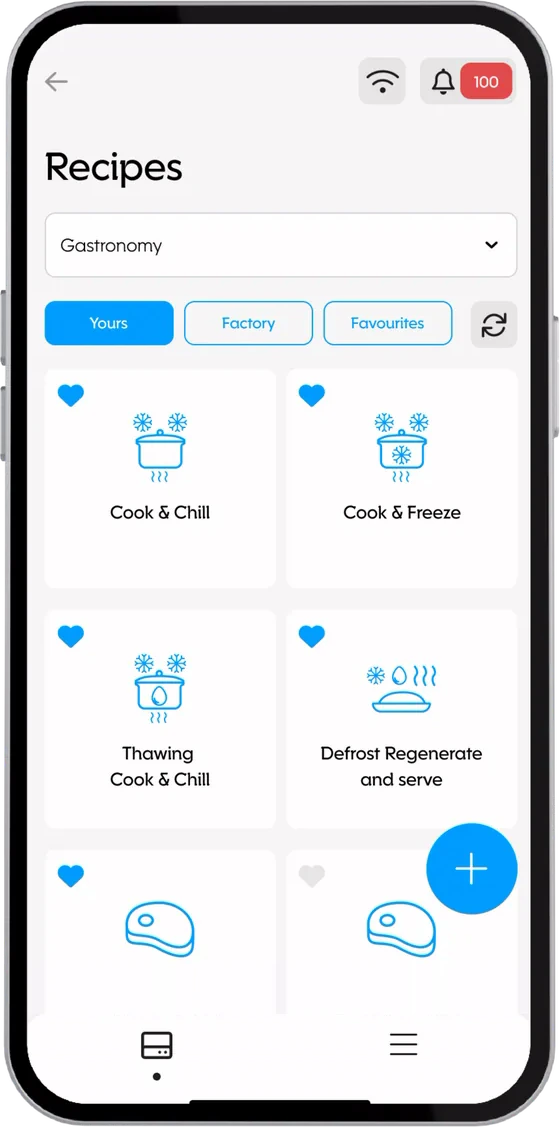
How it works
Our team specializes in developing custom applications that improve the customer experience and maximize the value of your connected products.
Main features
Put the value of connected products directly into users' hands
-
Modularity
Each app can be built from independent, reusable modules, selected according to the specific needs of the product or process. Create flexible, scalable solutions, fully integrated with the Things5 ecosystem.
-
Mobile accessibility
We develop native mobile experiences that extend the platform's features, letting users monitor, control and interact with devices from anywhere.
-
Personalized product experiences
Each user can enjoy a unique experience, tailored to their role, usage context and type of machine, improving the usability and perceived value of the connected product.
The journey
How your IoT app comes to life
-
1
We design the digital experience together
Co-design
Together we define the app's goals, features and flows, identifying the modules best suited to the user experience and the type of connected machine.
-
2
We build the app around your ecosystem
Development and integration
We develop the mobile app by integrating Things5 modules and your existing systems (ERP, CRM, databases), ensuring seamless synchronization between the physical and digital product.
-
3
Grow the application with your users
Release and optimization
Thanks to the modular nature of the platform and the app, you add new features, ensuring evolution and scalability over time.
The modules
Build your custom application
Each app is tailor-made from specific modules to meet different business needs: from digitizing end-of-line testing in the factory to simplifying user features, with built-in technical support and commerce.
User features
Digitalization and connectivity are strategic to business competitiveness. For years, we have been helping manufacturers tackle increasingly complex challenges in managing and making the most of the data generated by their machines and devices.
Bluetooth pairing and cloud connection
Bluetooth pairing
Problems
- No way to access machine data from external locations
- No standardized system for monitoring and acquiring operational information
- Significant difficulties in establishing reliable connections between machines and control devices
- Security issues with remote access
Goals
Implementing a standardized connectivity system and reducing machine configuration and management time.
Solution
A fast, secure Bluetooth pairing procedure with a mobile application that offers:
- control and monitoring features near the device, replacing the physical display
- a simple, instant pairing procedure via QR code
- support for machines with limited connectivity through the APP Gateway feature, which turns the phone into a gateway for sending data.
Cloud connection
Problems
- No way to access machine data from external locations
- No simplified network pairing procedures
- Limited real-time visibility of machine status and performance
- Poor visibility of historical usage trends
Goals
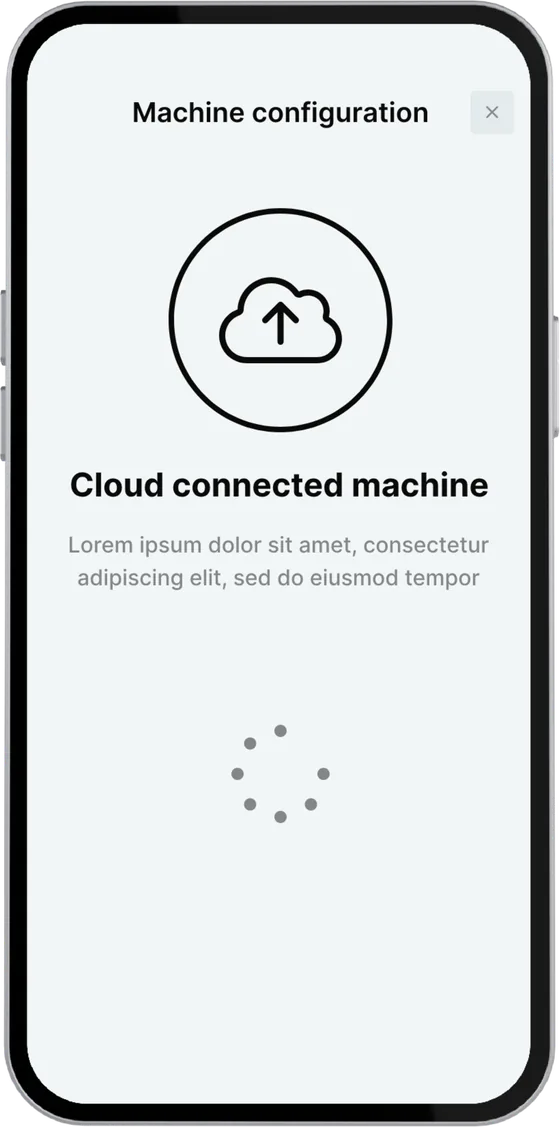
A guided in-app procedure and simplified activation of data upload to the cloud.
Solution
A mobile application that:
- offers an intuitive mobile interface for connecting the machine to the cloud
- guides the user step by step through the connection procedure
Optional: secure machine authentication
A fast, secure authentication system on the machine display via QR code, which brings the user's settings and programs/recipes from the cloud to the machine for a personalized user experience.
Guided machine setup
Problems
- Complex setup due to long, cumbersome configuration procedures
- Managing the configuration of multiple devices
- Little flexibility in customizing settings
Goals
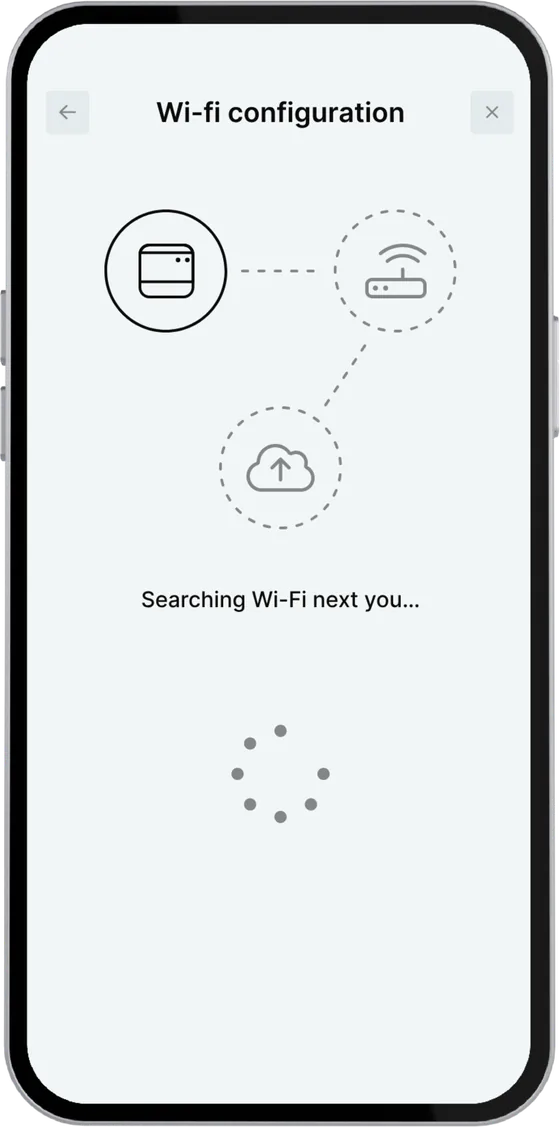
Simplifying how the machine is connected to the Wi-Fi network and developing a user-friendly connectivity solution.
Solution
You can give your end customers a mobile application that lets them:
- easily connect the device to the Wi-Fi network
- select and set up their operating profile
- keep track of all machine events and status changes thanks to preset notifications
- configure machine features and parameters according to use.
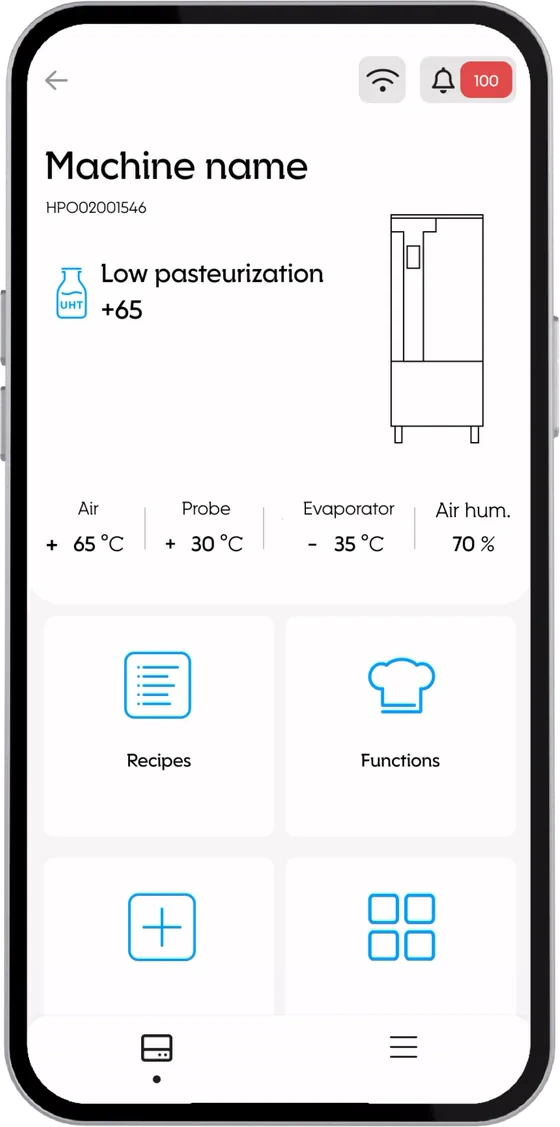
Machine control
Problems
- Unintuitive interfaces that limit operational efficiency
- No visibility of the machine programs/recipes in progress
- Difficulty transferring and standardizing machine programs/recipes
Goals
Simplifying the user experience for accessing machine features by extending the capabilities of the physical display.
Solution
You can give your end customers a mobile application that lets them:
- switch machines on and off remotely
- upload custom machine programs/recipes
- access real-time data on device status and operation
- define custom events based on specific triggers.
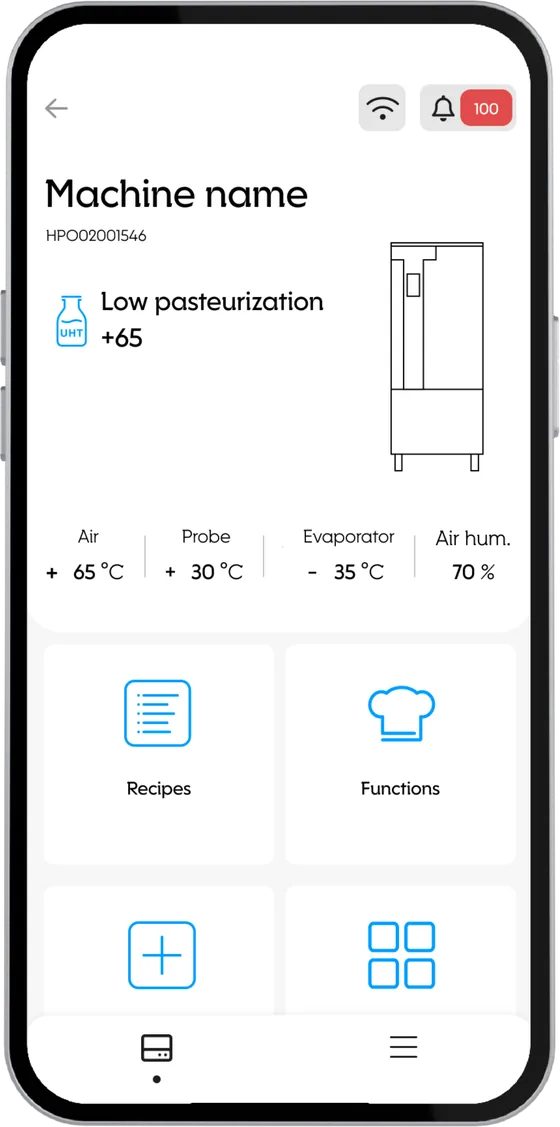
Real-time machine monitoring
Problems
- No real-time visibility of machine operation
- Machine alarms are hard to access
- No way to quickly spot operational inefficiencies or consumption anomalies
Goals
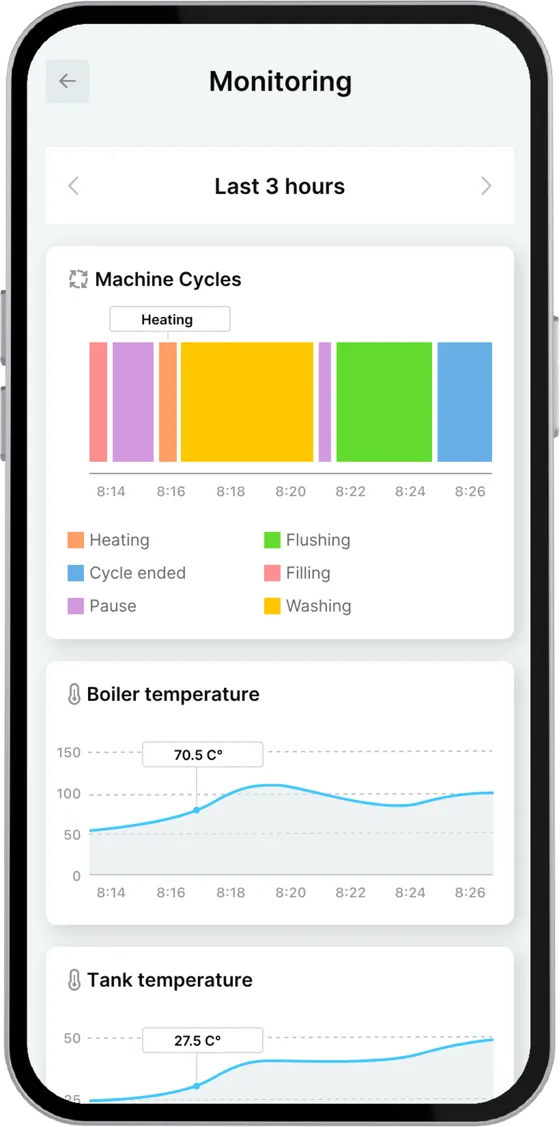
Access to a complete, detailed view of machine status, filterable by time.
Solution
Customers have access to a mobile application that lets them:
- access a complete dashboard of the machine's status
- view alarm details and any resolution procedures
- select filters by time slot and period
- drill down into individual data points.
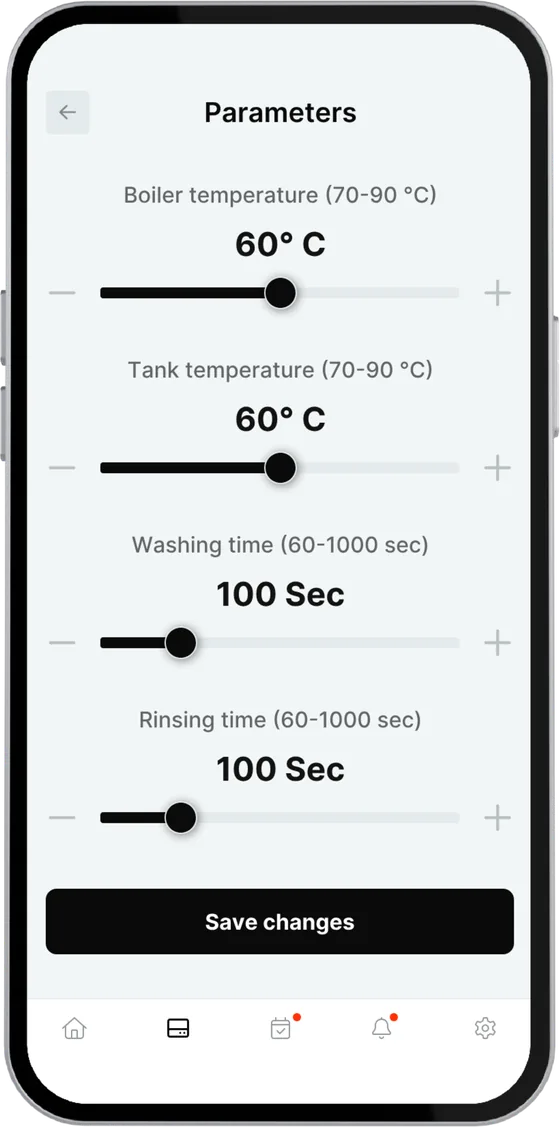
Parameter setting
Problems
- Complex, time-consuming installation and configuration processes
- Difficulty managing and updating configurations
- No system for saving and reviewing parameters
Goals
Simplifying machine configuration and significantly reducing setup time.
Solution
Customers have access to a mobile application that lets them:
- view and safely edit all machine parameters
- load preset configurations, overwrite them, save them or import them via USB
- save and review configurations and parameters already used.
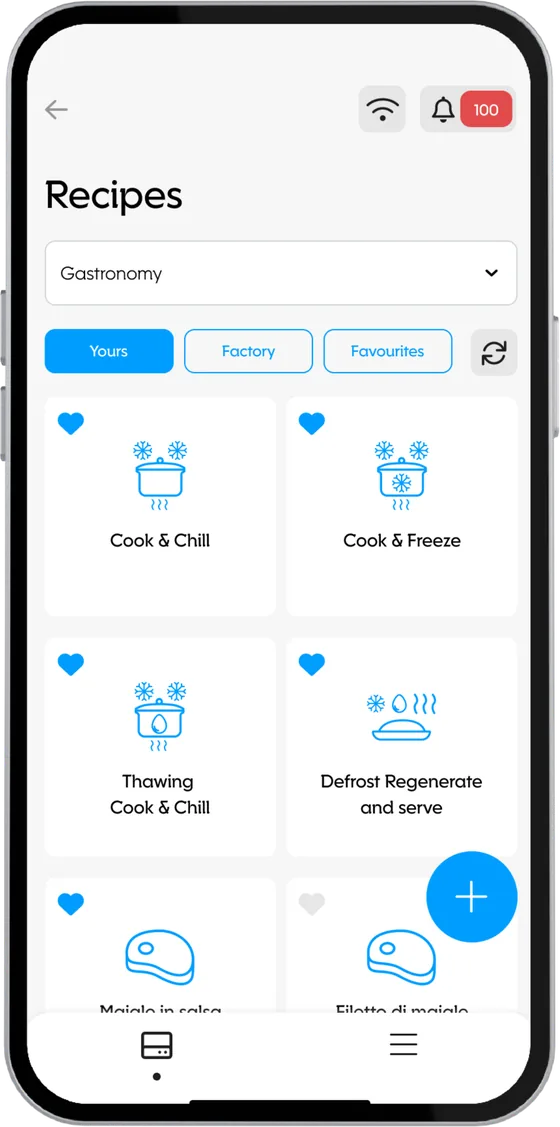
Setting up machine programs and recipes
Problems
- No visibility of the machine programs/recipes in progress
- No centralized system for creating and storing machine programs/recipes
- Complex activation and deployment of machine programs/recipes on machines
- Limited access to stored recipes
Goals
Simplified remote management of machine programs/recipes and automatic synchronization with the machine.
Solution
Customers have access to a mobile application that lets them:
- view and safely edit all machine parameters
- load preset configurations, overwrite them, save them or import them via USB
- save and review configurations and parameters already used.
Analytics
Problems
- No visibility of consumption and the machine's main variables
- No way to keep track of historical data that is easy to access and filter by specific periods
- No way to quickly spot operational inefficiencies or consumption anomalies
Goals
Access to a complete, detailed view of machine performance, filterable by time.
Solution
Customers have access to a mobile application that lets them:
- view summary statistics of the machine's energy consumption, workload and production volumes
- browse aggregated data as KPIs and charts
- receive monthly summary notifications
- download reports generated automatically by the platform (e.g. HACCP).
Service
In technical service, speed and accuracy make the difference. That's why equipping technicians with intuitive, always-connected mobile tools is essential today. The service modules turn a smartphone or tablet into a real operations control center, enabling faster interventions, safer configurations and more effective diagnosis, even remotely.
Extended parameter setting
Problems
- Limited access to advanced configurations
- No centralized tool for remote technical management
- No shareable backups/configurations
- The lack of a system to load, save or replicate parameter lists exposed the company to manual errors and standardization problems
Goals
Centralizing and digitizing advanced configuration, eliminating the need for legacy terminals or on-site visits.
Solution
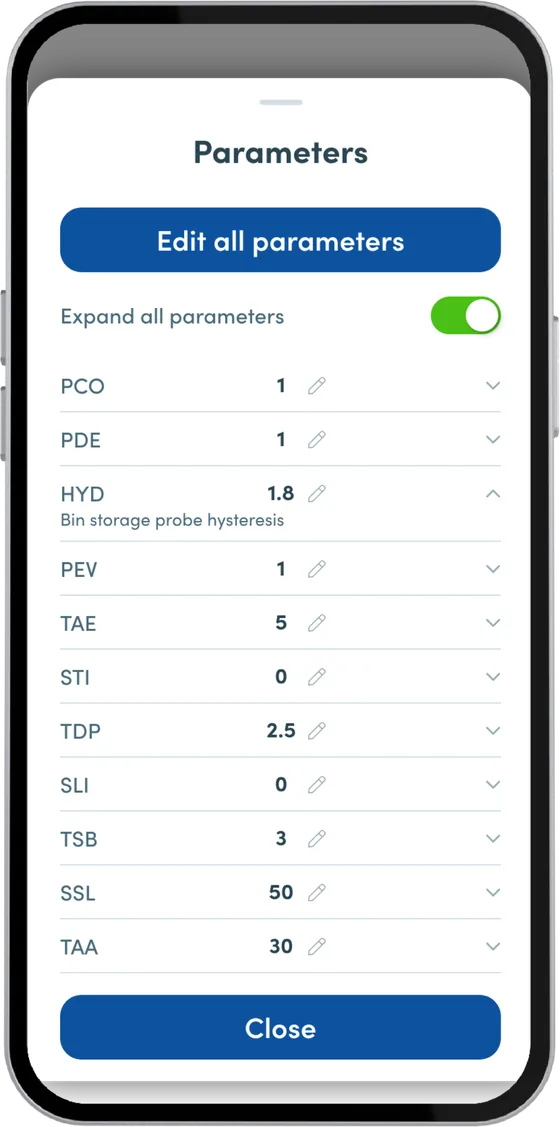
The app introduces an advanced parameter-setting module for service technicians that lets them:
- access all machine parameters
- quickly edit each item with a built-in numeric keypad and instant confirmation
- manage configurations in batches
- load files from USB to quickly replicate parameters on twin machines or replacements.
Machine synoptic
Problems
- Difficulty understanding how the machine works
- No visibility of critical variables over time
- Ineffective, time-consuming service. Technicians often have to go to the machine in person to see how it behaves in real time.
Goals
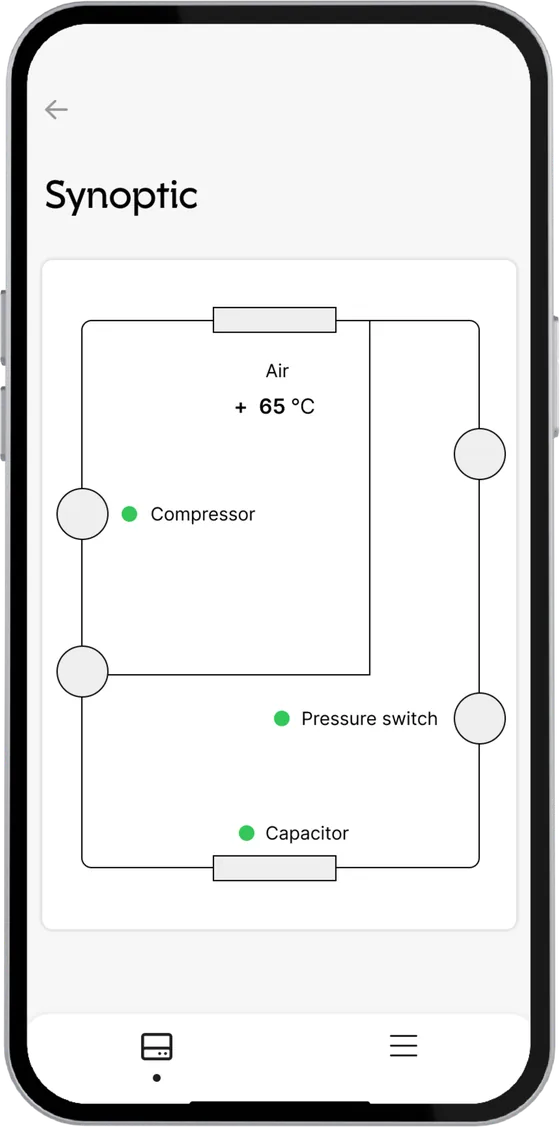
Making the machine's behavior instantly readable through an intuitive, interactive synoptic view.
Solution
The app combines two complementary views to give a complete picture of how the machine works:
Synoptic view
- A visual, stylized representation of the functional flow
- Real-time data overlaid on each component
- The user sees the status of the operating cycle and how the parts interact, and spots any anomaly immediately.
Chart view
- Interactive charts of critical variables
- A visible timeline and comparison of multiple curves, useful for validating system behavior over time
- Tracking of the machine's main events.
Input/output data for specific components
Problems
- Slow, unstructured technical diagnosis. Technicians have to rely on external tools or physical checks to find out whether a component is working properly.
- No built-in test tools
- Heavy reliance on technical documentation
- No structured, remote signal checks
Goals
Providing a mobile-friendly tool even for less experienced technicians, simplifying access to critical data and reducing the average service time.
Solution
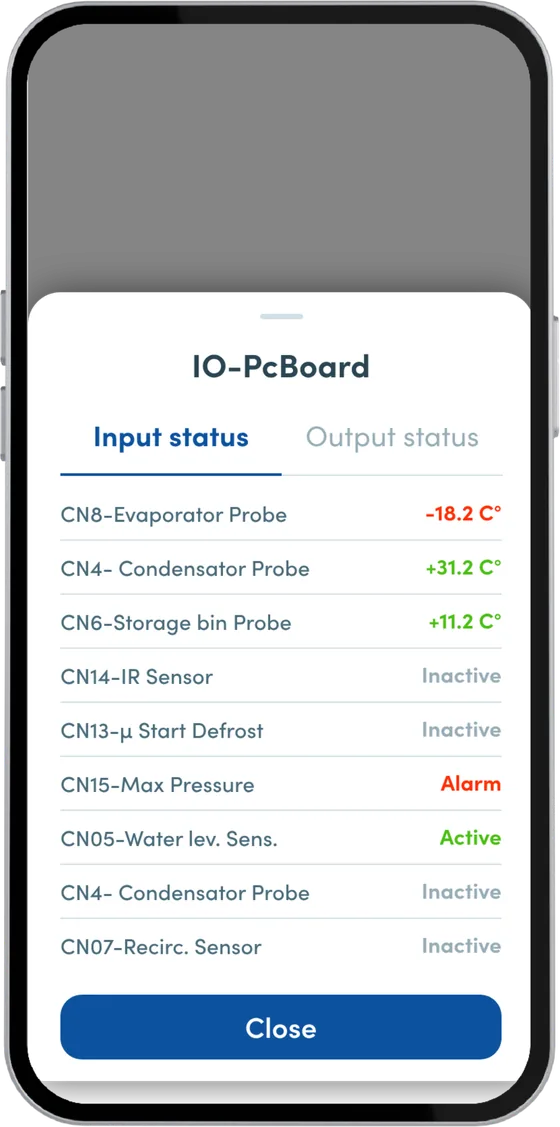
The module provides a real-time interface for viewing and testing the machine's digital and analog signals that lets you:
- monitor INPUT signals in real time
- have a complete list of active components, with their current status in real time
- test OUTPUTS to check that they work properly.
Troubleshooting management
Problems
- Poor visibility of machine alarms
- Difficulty understanding the nature of the error
- No operational support built into the machine
- No traceability of reports and resolutions
Goals
Providing real-time, clear and visual troubleshooting support, reducing reliance on external technical service.
Solution
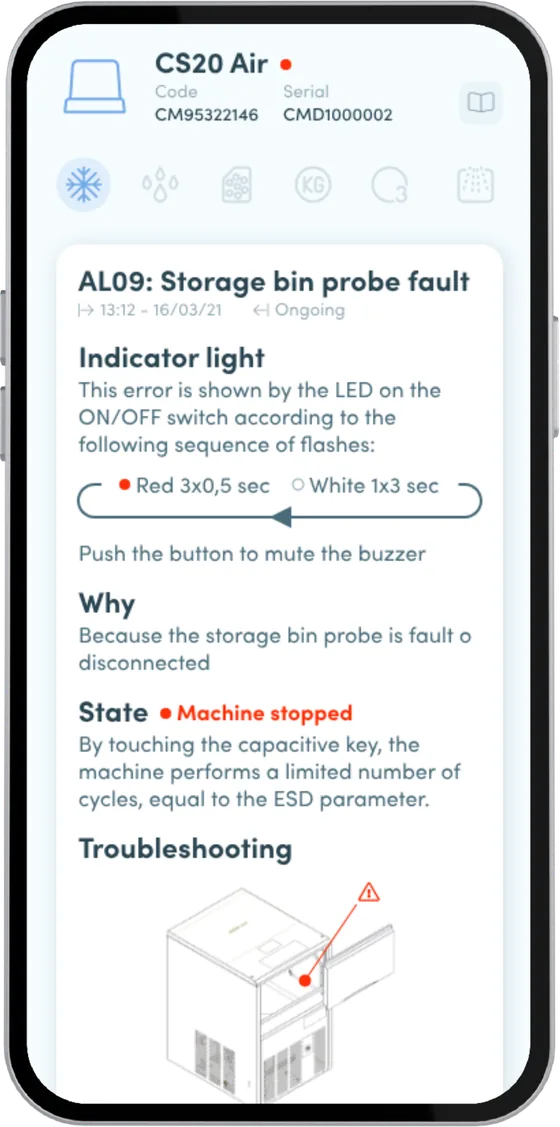
The app introduces a complete alarm management and interactive troubleshooting module, directly on mobile, that lets you:
- view the list of alarms with status, code, description and timestamp
- open a detailed alarm sheet with operating instructions for clearing it
- reset several alarms at once.
Commerce
The mobile app becomes the ongoing point of contact between the brand and its customers. Through dedicated modules, users can personalize their experience, access new product features and keep the device running efficiently. For the manufacturer and the brand, these modules are a concrete opportunity to create recurring value, build customer loyalty and develop a digital offer integrated with the physical product that keeps adding value after the purchase.
Paid service plan management
Problems
- Customers often forget to activate warranty extensions or don't know premium services exist
- Distance from the end customer due to intermediaries, call centers or dealers
- Difficulty building an ongoing after-sales relationship with the end customer.
Goals
Extending the customer relationship beyond the initial purchase by digitizing the purchase and management of service plans directly in the app.
Solution
The module lets customers:
- view, activate and manage service plans, warranty extensions and premium services directly from the mobile app
- access detailed descriptions of the available services
- pay for or automatically renew the service directly from the app
- receive expiry notifications and alerts.
Activation of new features
Problems
- Advanced features go unused because they aren't promoted commercially or easy to activate from the device
- Customers don't perceive how the product evolves over time
- Lost after-sales upselling opportunities
Goals
Offering a "feature-as-a-service" model, enabling the gradual activation of advanced features to increase the perceived value of the connected product over time.
Solution
Through the module, customers can:
- explore a catalog of features available for their device
- access detailed explanations and interactive demos
- activate the new feature in 1 click. The system checks model compatibility and immediately enables the desired feature, with pay-per-use or paid plans where applicable.
Purchase of consumables and spare parts
Problems
- Customers often don't know which consumables or spare parts are compatible with their device
- Component replacement is postponed, compromising product performance
- The purchasing process is external and disconnected from the usage experience
Goals
Making it easy to buy compatible supplies at the right time, directly from the app, building customer loyalty through a direct, automated channel.
Solution
The e-commerce module is directly integrated with the customer's machine profile, making it possible to:
- suggest compatible consumables and spare parts
- purchase simply and intuitively
- send automated reorder notifications and dedicated offers
- track orders placed in the app and save favorites.
Factory testing
Manufacturers need an efficient system to test and inspect machines before shipping. Very often, operators still have to fill in paper forms and enter test data into the IT system by hand, slowing down testing.
Machine testing and inspection
Problems
The traditional approach to machine testing and inspection is prone to errors, delivery delays and a lack of real-time visibility of test status, because test data is hard to collect and manage.
Goals
Digitizing the entire process for a faster, smoother workflow with full traceability of operations, making test data available to after-sales too.
Solution
Through an intuitive tablet/mobile interface, the module provides:
- access to simplified tools for machine test cycles and inspection procedures
- automatic device registration in the cloud and storage of test data on Things5
- access to customizable dashboards to view reports and statistics in real time
- simplified connectivity to the machine via a Wi-Fi/BLE interface
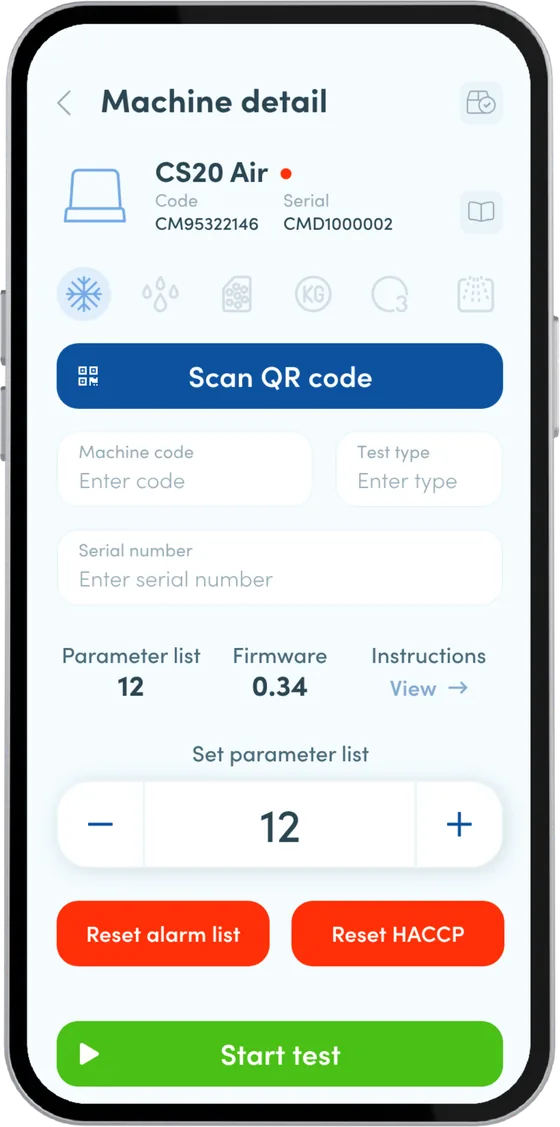
Bluetooth pairing
Problems
- No way to access machine data from external locations
- No standardized system for monitoring and acquiring operational information
- Significant difficulties in establishing reliable connections between machines and control devices
- Security issues with remote access
Goals
Implementing a standardized connectivity system and reducing machine configuration and management time.
Solution
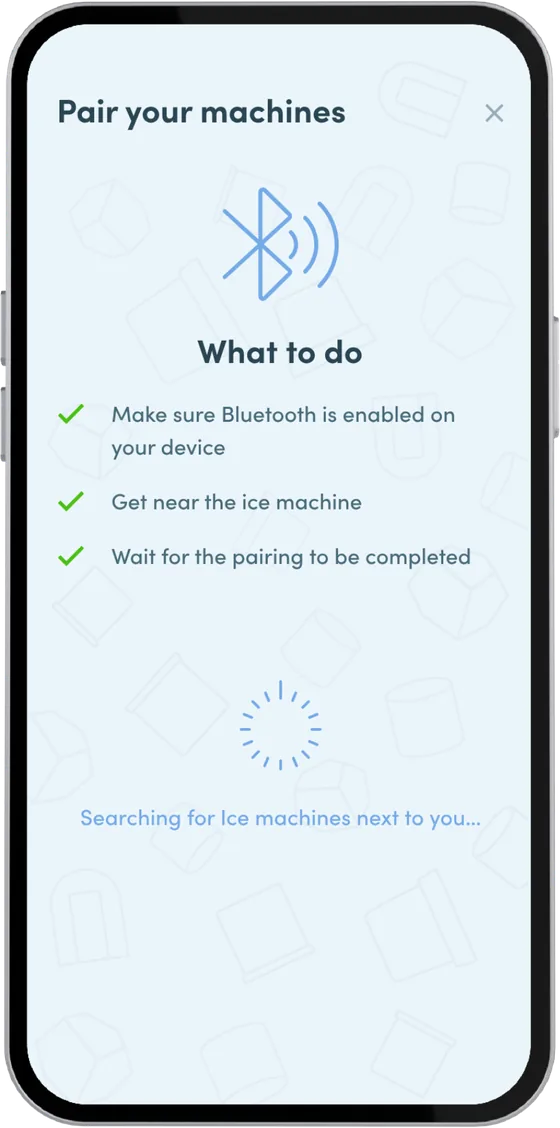
A fast, secure Bluetooth pairing procedure with a mobile application that offers:
- control and monitoring features near the device, replacing the physical display
- a simple, instant pairing procedure via QR code
- support for machines with limited connectivity through the APP Gateway feature, which turns the phone into a gateway for sending data
Optional: secure machine authentication
A fast, secure authentication system on the machine display via QR code, which brings settings to the machine for a personalized user experience.
Frequently asked questions about Things5 Applications
Can't find the answer? Book a demo and we'll answer you.
Book a demoFAQ
Does Things5 provide only the IoT application, or does it also support the company throughout the project?
Have an app in mind for your machines?
Tell us about your product and your users. Turn your connected machines into a branded mobile experience, built on Things5 modules and integrated with your ERP, CRM and existing systems.
Book a demo